Don't write the docs, just do your job.
We'll draft the step-by-step guide, every step cited back to your recording.
Record your screen and narration with the desktop agent. Citestep transcribes it with Whisper, drafts a step-by-step procedure, and verifies every claim against the source recording before you approve and export to Markdown.
Capture runs on the desktop agent. Processing, storage, and review live in your hosted Citestep workspace.
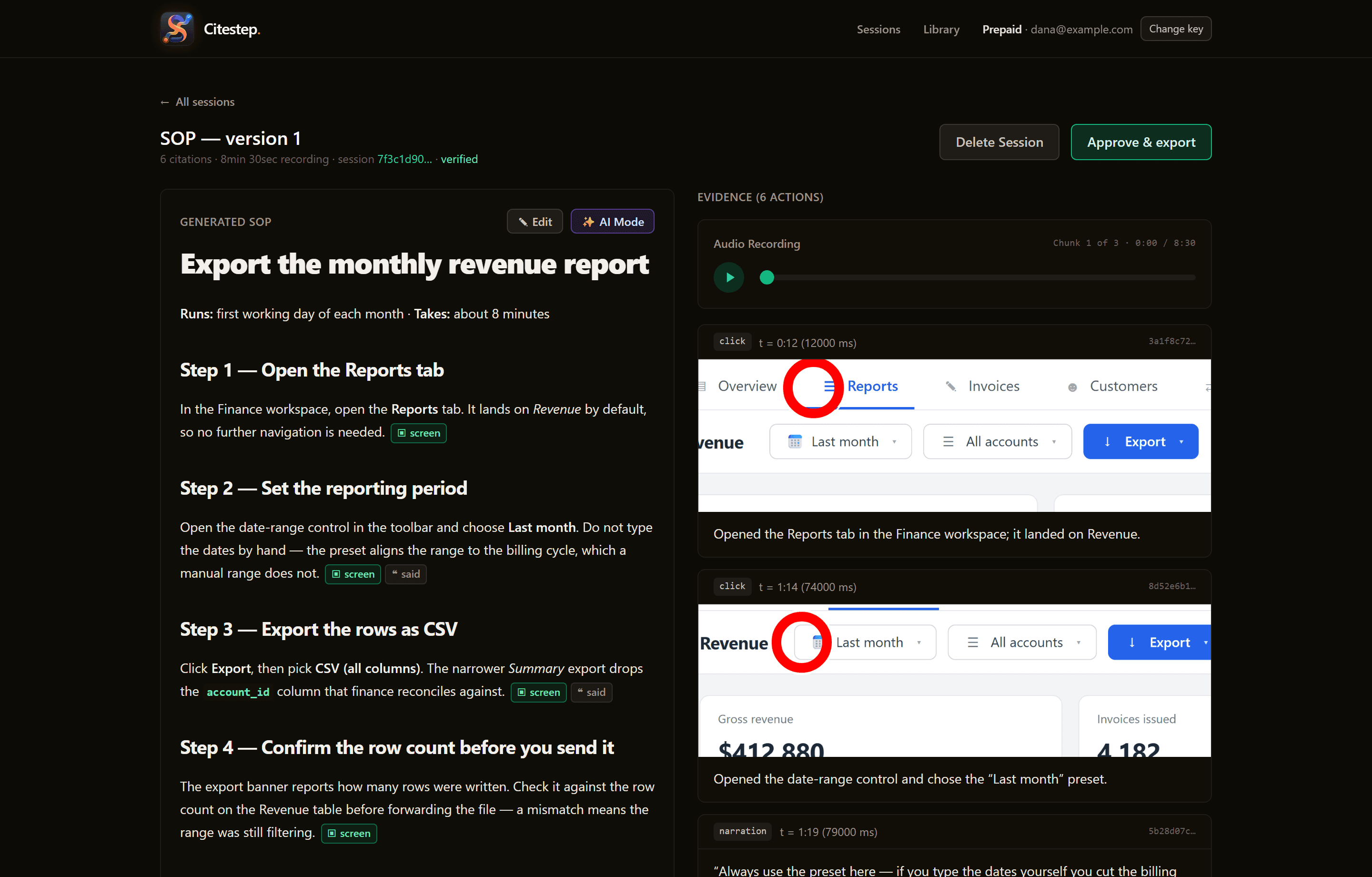
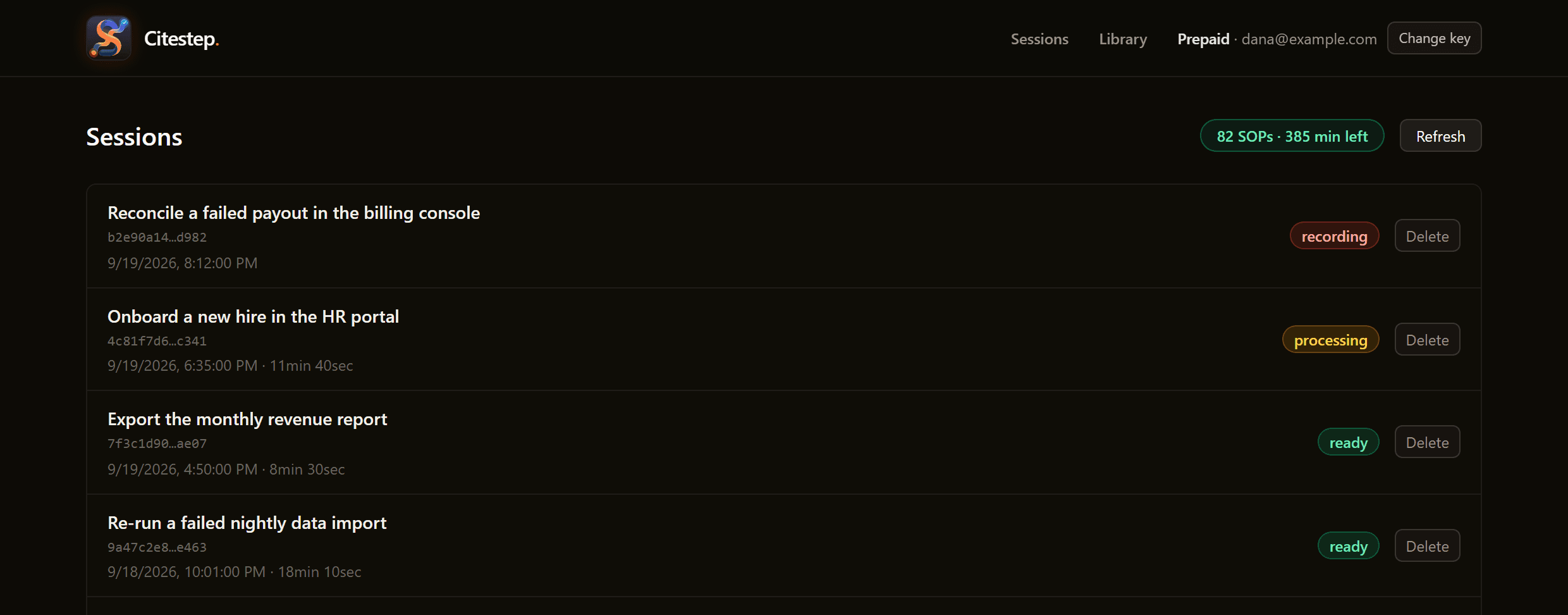
Every recording lands in one workspace — what's still capturing, what's mid-pipeline, and what's ready to read. Open a row and you get the review above it.
Screens from the hosted review console. The workflow and account shown are sample data.
Four stages, all auditable.
Every artifact — frames, transcripts, draft, citations — is stored and linked, so any step traces back to the moment it came from.
Capture
An Electron shell records your screen via mss and your microphone via sounddevice. Chunks stream to a local Python sidecar as you work.
Electron · Python sidecarTranscribe
Whisper transcribes each audio chunk — on the desktop agent when it can, on our server if that fails. Timestamped transcripts upload to your workspace alongside the matching frames.
Whisper · agent, server fallbackDraft
A multimodal LLM reads the frames and narration, then produces a structured SOP draft with citations pointing back to the source timestamps.
Hosted LLMs · cited draftsVerify & export
A semantic citation verifier checks every claim against the transcript. Failed citations trigger a draft retry. Approve and export to clean Markdown.
Verifier loop · Markdown out
Built for honest, reviewable documentation.
No black-box agents. Every step in a generated SOP traces back to a timestamp in the recording it came from.
Side-by-side review console
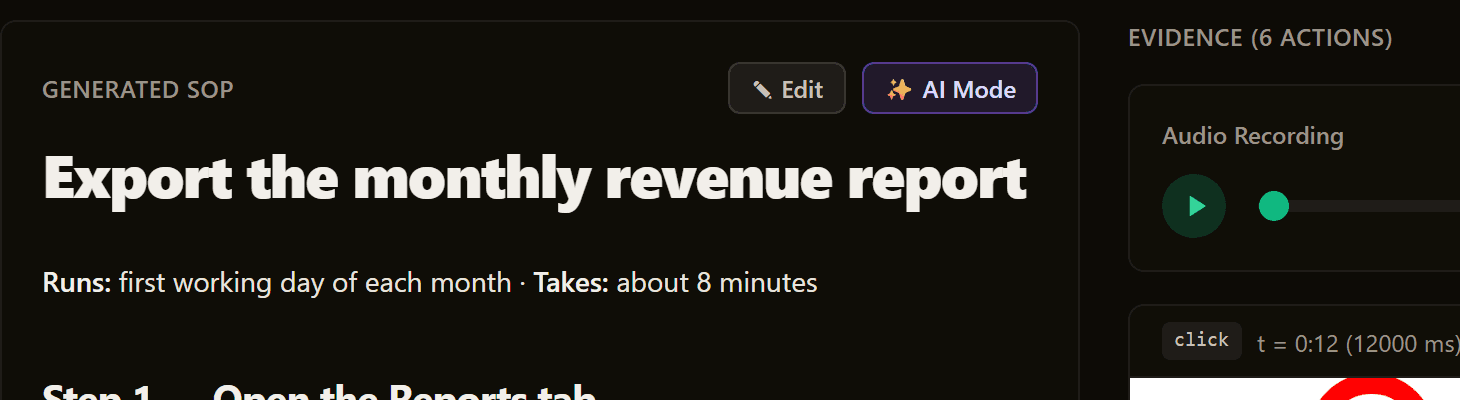
Read the generated SOP next to the recorded transcript. Click a citation to jump to the moment it was said. Approve when it's right; reject and regenerate when it isn't.
Semantic citation verifier
A second LLM pass checks each draft claim against the transcript chunk it cites. Failed citations trigger an automatic retry.
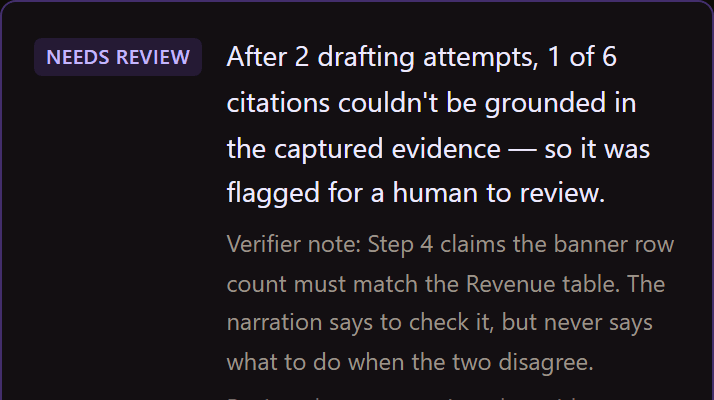
Lightweight desktop capture
A small desktop agent records screen, microphone and clicks on the operator's machine — and keystrokes only if you switch that on — then streams them to your hosted workspace. Nothing heavy to install or maintain.
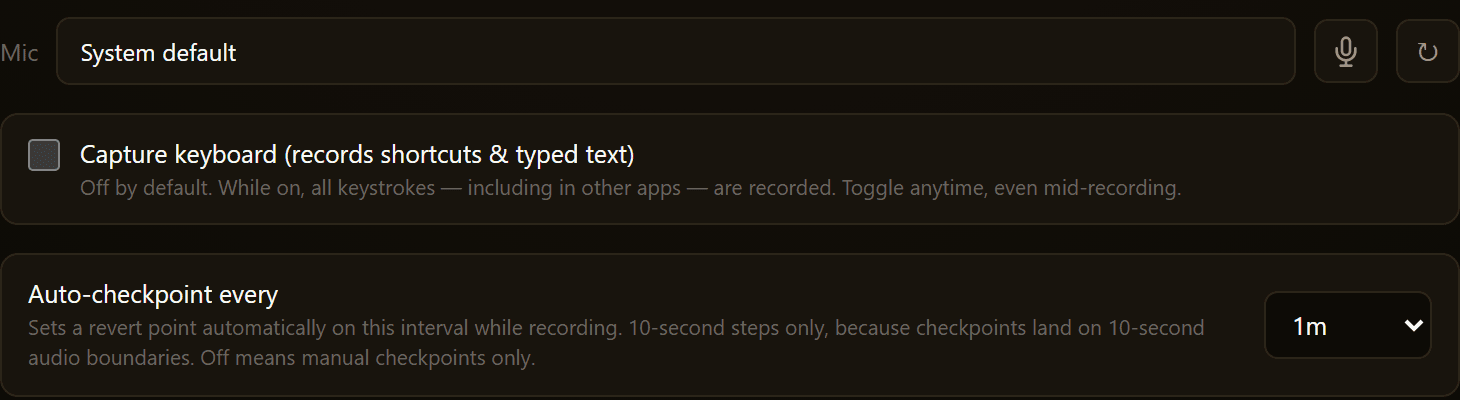
Mic selector & live progress
Pick your input device before recording. Watch chunks transcribe and the draft assemble in real time.
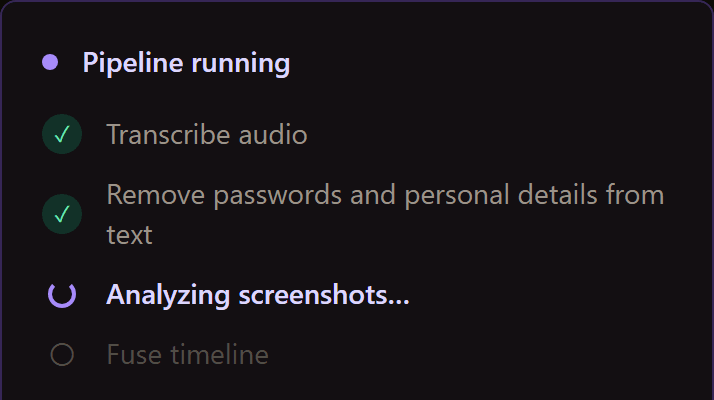
Plain Markdown export
Approved SOPs export to clean Markdown — check them into git, paste them into Notion, or drop them in your wiki.
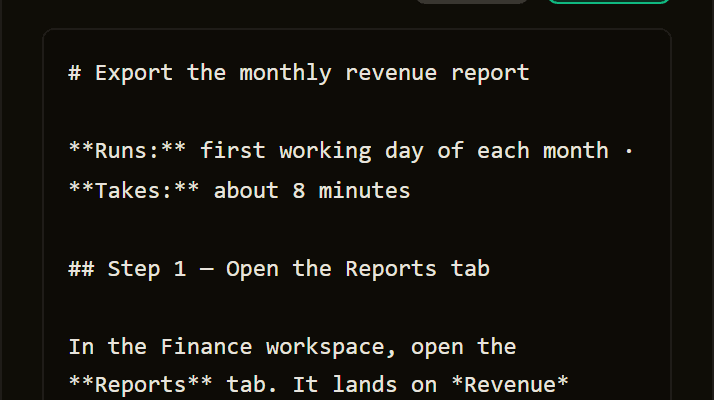
One hosted workspace
Recordings, transcripts, SOPs, and their versions live together in one hosted workspace — searchable and organized, instead of scattered across screen recorders and wikis.
More than a one-shot generator.
Beyond capture-and-draft, here's what already ships in the current build — verified against the codebase, not a roadmap.
Multi-signal capture
Records screen frames, microphone narration and OS click events in one session — plus keystrokes if you turn keyboard capture on — so a silent click or an unspoken step is still on the record.
Right model per stage
Each pipeline stage runs on the model suited to it — Gemini reads the screens, Claude writes the draft, a second model checks it. AI costs are included in your plan; there are no API keys to manage.
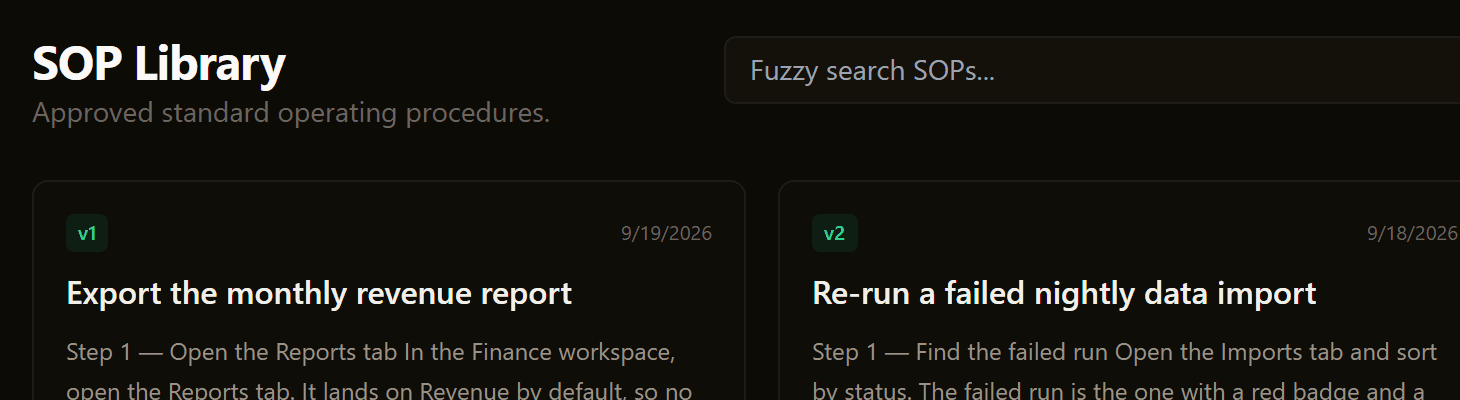
Searchable SOP Library
Approved procedures land in a library with fuzzy full-text search, so the right SOP is one query away.
Versioned SOPs
Every approved SOP keeps a version history per session — see how a procedure changed as the work did.
Edit with live citation checks
Fix any step in the browser. On save, every citation is re-parsed and re-grounded against the recording's captured actions.
Cost-aware processing
Empty or too-short recordings are caught before any paid model runs, so tokens aren't spent on captures that can't produce an SOP.
Boring, proven, and built to last.
No exotic dependencies or proprietary runtime — a standard Python, Next.js, and Postgres stack you can reason about.
Backend
layer- Python
- 3.11+
- FastAPI
- HTTP API
- SQLAlchemy
- ORM
- Postgres 16
- database
Frontend
layer- Next.js 14
- App Router
- TypeScript
- strict
- Tailwind CSS
- styling
- react-markdown
- SOP rendering
Capture
layer- Electron
- desktop shell
- mss
- screen frames
- sounddevice
- microphone
- MediaRecorder
- browser audio
AI pipeline
layer- Whisper
- transcription
- Model router
- Claude · Gemini · GPT
- Vision captions
- Gemini Flash
- Citation verifier
- draft retry loop
Record your first SOP.
From a screen recording to an approved, cited procedure in four steps.
- 1
Buy a plan
Pick a plan on the pricing page — your access key is emailed to you within minutes while the server is online (9 am–5 pm IST during the pilot). Paste it into the desktop agent and the review console.
- 2
Record the task
Hit record and walk through the work, narrating as you go — screen, voice, and clicks are captured together.
- 3
Review the draft
Citestep drafts a cited SOP. Open it next to the recording and click any step to jump to the moment it came from.
- 4
Approve & publish
Edit anything that needs a tweak, then approve to publish it to your library and export to Markdown.
Record your first SOP today.
Three one-time plans from $15. Your access key is emailed to you within minutes during service hours — paste it into the desktop agent and start recording.